


Have you ever looked at your website and thought…this probably needs some attention?
Maybe a photo is outdated, a link is broken, or your footer still says © 2016. Those little issues can pile up fast, and suddenly your website starts to feel like a much bigger project than it really is.
But most of the time, you don’t need to start from scratch with a new website, you just need a few simple fixes. And spoiler: they don’t even take that long to complete, so let’s dive in!
Easy Website Fixes To Tackle Today
These bite-sized tasks are all designed to feel (and be!) super doable. None should take more than half an hour, and remember: we are alllll about tiny wins here – just do what you can when you have the energy to do it!
Take notes as you move through the tweaks below and figure out which tasks apply to you and your website. You’ll end up with an organized list to take to your web developer or tackle on your own (you do have your website login details, right?).
📱 Check That Your Website Works on Mobile
In the US, phone users make up almost 60% of all web traffic, so having a website that works well on mobile is a must.
To start, pull up your website on your phone and navigate through the pages, paying attention to the following:
- Read your home page.
- Is the text easy to read without pinching or zooming?
- Does it feel like you have to squint, or is it comfortable?
- Tap every button you see.
- Are buttons big enough to tap with a thumb?
- Do they actually work? (Especially your main calls-to-action like “Donate,” “Book A Call,” etc.)
- Check the navigation menu.
- Can you easily find the menu?
- Does it open and close properly? (No stuck or disappearing menus!)
- Look at a few images.
- Are important images showing up sharp and clear? (Blurry, stretched, or teeny tiny pictures = time for an quick refresh)
⛓️💥 Fix Broken Links
Did you find any broken links when you were testing your site on mobile? Even if you didn’t, it’s worth doing a thorough check. A free tool like Broken Link Checker scans your whole site in just a few minutes and gives you a list of any broken links it finds.
Once you know what’s broken, log into your website editor and fix those links, either by updating them to the correct page or removing them altogether.
Not sure if you have editing access? If you can log into WordPress, Squarespace, Wix, or whatever platform your site is on, you’re good to go. If you don’t know your login details, that’s a whole separate issue worth figuring out!
🌅 Replace Outdated or Blurry Photos
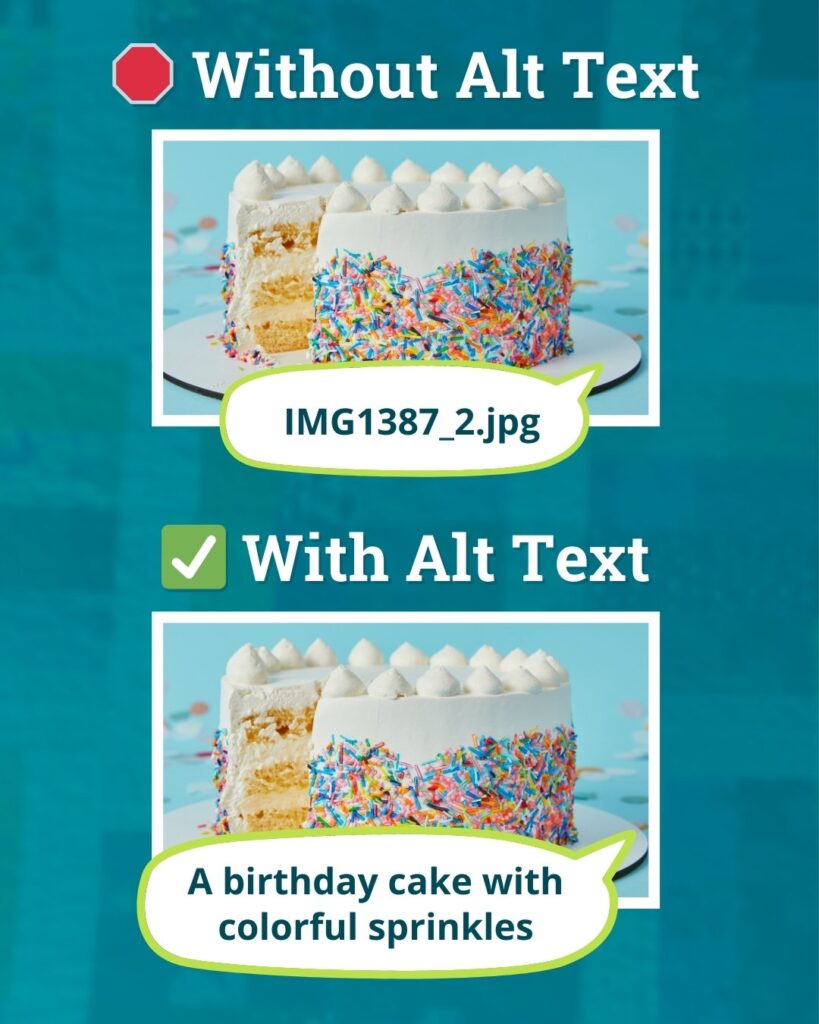
Choose one blurry, tiny or outdated photo and replace it. Add a photo from your phone’s camera or use a free photo site like Unsplash (just make sure to resize them for the web so they don’t slow down your site!).
While you’re replacing the image, add alt text so folks navigating the web with screen readers (and search engines) can understand your new photo too.
If you’re not sure how to do this, search for “how to add alt text to a photo [your website platform, like WordPress, Squarespace, Wix, Shopify, etc]”
✉️ Test Your Contact Form
I’m going to make a bold statement and say that your contact form is the most important part of your website. If it’s broken, you could be missing messages and never even know!
To test your form, simply send yourself a test message, being careful to fill out all of the form fields. Then, check your inbox to make sure the email arrives and that all of the information you filled out is included in the message.
I actually wrote a whole step by step guide for this one because it’s one of the most common website issues I see!
📞 Make Your Email and Phone Number Clickable
When someone visits your site, they don’t want to copy-paste your email address or squint at your phone number to type it in. They just want to click (or tap!) and go.
If nothing happens when you click/tap, you can easily fix this in your website editor. Every platform is a bit different, but in general:
- When you add your email address, make the link start with
mailto:
Example: instead of being just plain text like hello@yourbusiness.com, the address should link tomailto:hello@yourbusiness.com - For your phone number, make the link start with
tel:
Example: instead of a plain text number like 123-456-7890, add a link that points totel:1234567890
Note: Some platforms do this automatically, so test yours first before diving in.
🔗 Check Your Social Media Links
Social media is constantly changing – platforms come and go, handles change, and it’s easy to forget you even linked to your Twitter account you haven’t touched in three years.
If you haven’t checked those links in a minute, go through your site and make sure your social links are still working. These are commonly found in the header (top of your page), footer (bottom of your page) or sometimes on the contact page.
Check those links on your phone, too, as sometimes mobile menus display different links than the desktop version of your website.
🎁 Not sure what to tackle first? Get a free Homepage Audit for my perspective on where to start and which updates make the biggest impact.
©️ Check Your Footer for Outdated Information
Your footer is easy to forget about (it’s all the way down at the bottom of the page, after all)…but it’s worth a quick peek as old and outdated information loooooves to hide here.
The most common culprit is the copyright year. Some platforms update this automatically, but others use plain text, so unless you manually change the date, it may still say 2018!
While you’re down there, also check for incorrect business hours, an old phone number, or any broken links and take care of those issues too.
Easy Website Fixes Are Important
These small updates really do matter. You don’t need a new website to make a good impression – just a little bit of TLC that shows your website is active and cared for.
And if you’d rather hand the whole thing off and come back to a site that’s already been taken care of, that’s exactly what a Website Reset Day is for.
✨ Keep Improving Your Website
Enter your email and I’ll send you my free 15-Minute Website Wins guide with more simple website improvements that don’t take all day.
By signing up, you’ll also join my mailing list; I only send 1–2 genuinely helpful emails each month.