

Picture it: you’re at the grocery store, looking at papayas, and strike up a conversation with the woman next to you. And it turns out she’s exactly the kind of person you work with!
As you hand over your business card she says, “thank you – I’ll check out your website!” and your stomach flips.
You get that feeling. You know the one. Website Dread.
Website Dread is a valid sensation, and it’s certainly a signal worth paying attention to. But what does that feeling mean?
Your Website Reflects Who You Were, Not Who You Are Now
Your website is meant to grow with your business. But in practice, most folks launch a site and then don’t touch it again for months (or years!).
The state of your business and the person you were when that website was created isn’t necessarily where you’re at now – and that’s totally normal.
You evolve, the world evolves, your business evolves, too. But how do you know when that evolution means it’s time to take action?
5 Signs Your Website Design Is Outdated
Below are five signals that will help you when decide it’s finalllllly time to do something about your website.
1. Your services have changed but your site hasn’t
Businesses grow and change over time, which is totally normal. A few examples:
- You were offering virtual-only consultations in 2021 and have since transitioned back into an office.
- You’ve shifted your niche and serve different types of clients.
- Your business has grown and you’ve had to cut some smaller services from your offerings.
If your website doesn’t reflect those shifts, potential clients are getting the wrong idea about what you do. Your services page should accurately reflect the current era your business is in.
2. Your photos don’t look like you anymore

I get it: there were photos I took in 2016 up on my website until verrry recently lol.
But if your website includes old headshots, generic stock photos that don’t even feel like your brand, or (worse!) no photos at all, it’s time for some updates.
Because the truth is, people want to buy from other people. Sprinkling in stock photos here and there is perfectly fine, but having at least one photo of you on your site is necessary to build trust with your visitors.
And updating photos doesn’t have to mean a full brand shoot – you can simply head outside with a friend (or a tripod) and take some updated photos in natural lighting.
3. Your headline doesn’t describe what you do now
You only have 5 seconds to make a good first impression on a visitor, and your website’s headline is the first thing they read when they land on your site.
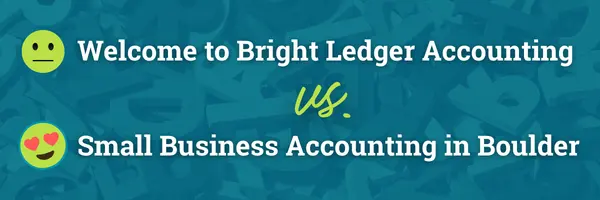
Don’t waste this valuable website real estate! If your headline says something like “Welcome to [Your Business Name]!” update the wording to clearly say who you are and what you do.
4. You’re missing a clear next step
Is it obvious what you want someone to do after they land on your site? This is a call to action, and it’s an important part of what makes an effective website.

If your site is missing a CTA, visitors may leave because they’re not sure what to do next. Every page on your website should have one clear next step for folks to take.
Another common CTA issue happens when the action you’re pointing people towards doesn’t match what you want them to do.
Maybe you’re pointing them toward your contact page, but you really want them to schedule a discovery call. When this happens, your site is wasting energy sending visitors to the wrong place!
5. You cringe when you share your link
This is the signal that started this whole post, and that feeling of Website Dread is worth taking seriously.
Even if you can’t point to anything specifically as being an issue, the feeling of something being off or mentally apologizing before anyone sees your site is a good sign that it’s time to take action. Don’t dismiss it!
How Often Should You Update Your Website?
You should update your website whenever something changes about you or your business.
Beyond that, I’d recommend reviewing and updating content at least once a year, doing a more thorough refresh every 2-3 years, and taking on a full rebuild every 5 years (technology changes too fast to wait much longer than that!).
How to Fix an Outdated Website (Without Starting Over)
If your website is only a couple of years old, you probably don’t need to start from scratch.
First, review each page of your website and update any content that’s outdated. This is when you can swap out photos or remove old services.
Then, take a friend out for coffee (who’s not involved in your business!) and work through your site together. Ask them:
- Can they tell what you do as soon as they land on your homepage?
- Do they know what they should do next?
- Can they describe what you offer and how to get started?
- Is your site easy to understand and navigate?
They’ll notice things and point out issues that you won’t see, because your brain just glosses over them!
Not Sure Where to Start?
If you don’t have easy access to anyone who can take a look, or you’d like an experienced web geek’s eyes on your website, a free website review is the perfect next step.
It’s a gentle look at what your website is doing well and what could use attention.
And don’t hesitate to request a review even if you’re deep in the throes of Website Dread. I’ve truly seen it all, and will never judge you (or your website) harshly. 🫶
👀 Want expert eyes on your website?
Like I mentioned above, I offer completely free Website Reviews to everyone who joins email community. It’s a very kind (I promise!) look at the things your website is doing fantastically and the things that could make it work even better for your business.